



(Discover many other contents on: NOWO.ONE and NOWO Publishing)
I still remember the week I tried to prep dinner using three different gadgets and a stack of takeout menus. That night I promised myself — never again. Since then I've been testing smart, multifunctional appliances (and occasionally arguing with voice assistants). This post is my messy, human guide to why these compact devices matter, how they actually fit into real life, and the little hacks I learned along the way.
Fully Connected Kitchen: Unified Control & App Control
What I mean by a Fully Connected Kitchen
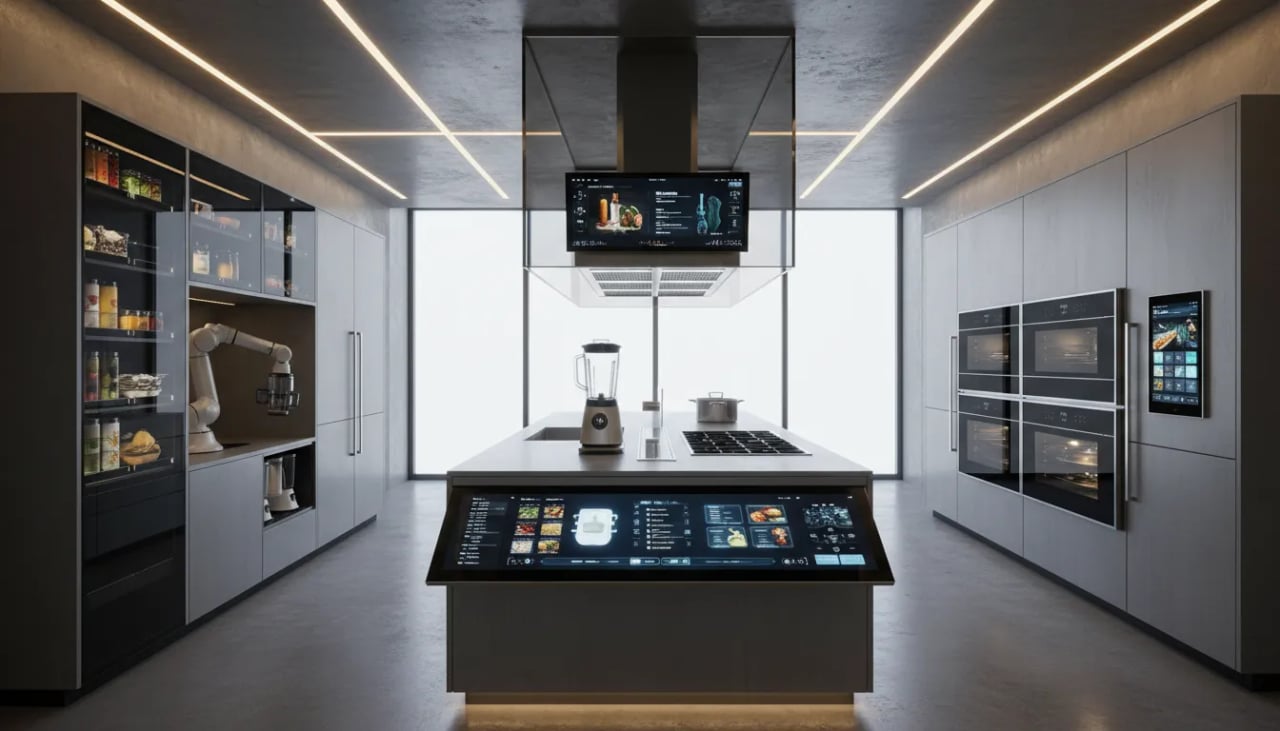
When I say Fully Connected Kitchen, I don’t mean a counter full of random gadgets. I mean a few key devices—like a smart refrigerator, wall oven, and induction cooktop—that can “talk” to each other through apps and voice. That’s where Smart Appliance Technology feels practical: fewer steps, less guessing, and more cooking that runs on autopilot.
My favorite real-life moment: recipe transfer in one tap
One of the most useful features in my kitchen is recipe transfer. I’ll browse a recipe on my smart fridge screen, tap once, and it sends the settings straight to my combi wall oven—temp, mode, and timing. No retyping, no sticky notes. This is the kind of Unified Control that turns “smart” into actually helpful.
App Control basics I use every week
App Control isn’t just turning things on and off. For me, it’s about staying on track while I’m doing other stuff around the house.
Remote preheat: I start preheating from my phone so the oven is ready when I am.
Cooking alerts: I usually get 2–3 alerts per cook session (preheat done, halfway reminder, food ready).
Grocery reminders: my fridge nudges me when staples are low, so I don’t discover it mid-recipe.
Unified dashboards: one place to run everything
The biggest upgrade is a single dashboard—either inside a smartphone app or through a Matter-enabled hub. With Matter 1.3 improving interoperability across brands, it’s easier to mix devices without juggling five different apps. I also use unified schedules to run off-peak energy modes, like delaying the dishwasher or warming cycles until cheaper hours.
Lisa Chen, Head of Product at HomeTech Labs: "Unified control is the difference between gadget chaos and a truly smart kitchen."
The small snag: yes, connectivity quirks happen
I’ll be honest: Wi‑Fi dropouts and new app interfaces can be annoying. I once reset my router at midnight because my oven wouldn’t sync. But once things are stable, Unified Control changes my routine—Sunday meal prep goes from panic to calm, scheduled cooking with clear alerts and less hovering.
Smarter Refrigeration: The Intelligent Refrigerator
I call my Smart Refrigerator the “brain” of my kitchen because it doesn’t just keep food cold—it keeps track of it. Most premium models now include Internal Cameras (usually 2–3 cameras) plus AI Recognition that can spot what’s on the shelves and build a live list for me.
Internal Cameras + AI Recognition: From storage to food management
With an Intelligent Refrigerator, I can check what I have while I’m at the store, and I get alerts when items are close to expiring. That’s the real win: less waste, fewer “mystery containers,” and fewer emergency grocery runs. Some fridges even suggest recipes based on what they see—and can sync with compatible ovens to preheat or set a mode automatically.
Sofia Martinez, Product Designer at KitchenAid: "Smart refrigeration turns passive storage into active food management—saving money and trips to the store."
Pantry Inventory tips I actually use (grocery planning made easy)
My favorite feature is Pantry Inventory notifications. I treat them like a gentle nudge, not a strict rule. Personal tip: I photograph receipts to cross-check fridge inventory when the AI misses a label or counts something twice.
Turn on “low stock” alerts for basics (milk, eggs, yogurt).
Use the app list as your grocery list—don’t rewrite it.
Set expiration alerts for high-waste items (berries, greens, deli meat).
A funny hiccup: when the fridge gets it wrong
Once, my fridge suggested a “healthy smoothie” when I had three cartons of ice cream. The cameras were right, the advice was… optimistic. I now tag a few items manually so the suggestions make more sense.
Leak detection and energy insights: quiet savings
Newer models add Leak Detection (helpful if a line drips or a tray overflows) and energy dashboards that show usage spikes. I’ve used these insights to adjust temps and door-open alerts, which saves money without changing how I cook.
When smart refrigeration feels intrusive (privacy tips)
If Internal Cameras feel like too much, I tone it down: review camera permissions, check data policies, disable cloud upload if available, and use local-only modes. In some apps, you can also pause image capture on a schedule—handy for peace of mind.
Multifunctional Appliances: Air Fry, Steam Bake, and Dual-Zone Cooking
I used to have a separate air fryer, a steamer basket, and a bulky countertop oven. Now I lean on Combi Ovens that handle Air Fry, Steam Bake, and classic roasting in one compact box. This is exactly why multifunctional appliances are taking off: they save bench space, cut prep time, and make weeknight cooking feel less like a juggling act.
My go-to: Combi Wall Ovens that Air Fry + Steam Bake
My favorite upgrade has been a combi wall oven with steam assist. Steam Bake keeps bread and muffins moist inside while still giving me a crisp top. Then I switch to Air Fry for wings or potatoes without dragging out another appliance. I’m seeing more of these combi features everywhere, and 2026 looks like the year they go fully mainstream in premium kitchen designs.
Dual Zone cooking for real-life timing
Dual Zone cooking is what makes dinner-party timing feel possible. I can run salmon at one temp while crisping asparagus or warming rolls at another. As Daniel Ortiz, Culinary Technologist, puts it:
Daniel Ortiz, Culinary Technologist: "Dual-zone and combi tech lets home cooks pull off dinner-party timing like pros."
When I hosted last month with one oven, my “secret” was simple staging—and two timers. I ran the main dish first, held it warm, then finished sides on a second zone while I plated.
KitchenAid attachments that stretch versatility
I also love how brands keep expanding add-ons. KitchenAid attachments and accessories (like a steamer, grill insert, or baking stone) help one appliance cover more recipes without buying extra gear.
Induction Cooktops: the perfect partner
Induction Cooktops pair beautifully with combi ovens because they’re fast, safe, and precise. Automatic pan detection means the surface heats the pan—not the air—so I get quick boils and controlled simmers with less worry.
Quick tip: map functions to your weekly meals
Air Fry: frozen snacks, crispy veg, chicken thighs
Steam Bake: bread, reheating rice, juicy casseroles
Dual Zone: mains + sides, or cook + keep-warm
Energy Efficiency & Scheduling: Cut Bills without Cutting Flavor
Energy Scheduling: I cook when power is cheaper
One of my favorite upgrades in a modern kitchen is built-in Energy Scheduling. I set my wall oven’s preheat and my multicooker’s long simmer to run during off-peak hours, when my local rates are lower. It feels like a small change, but it adds up—after shifting my “heavy” cooking (bread, roasts, batch beans) to off-peak windows, I cut my monthly cooking energy by adjusting schedules and sticking to them.
Amir Hussein, Energy Analyst: "Smart appliance automation combined with off-peak scheduling is an underrated way to reduce household energy bills."
Energy Efficiency: one smart tool beats three single-purpose gadgets
Smart and multifunctional appliances improve Energy Efficiency because one compact device can knead, chop, cook, and mix without me running multiple machines. Instead of powering a separate mixer, stovetop burner, and steamer, I let one optimized program do the work. Less clutter, less heat loss, and fewer “just in case” appliances drawing standby power.
Energy Insights: my dashboard caught a wasteful habit
The best part is visibility. My oven’s Energy Insights screen showed weekly usage trends and flagged an energy-heavy convection mode I barely needed. Once I switched to a lighter setting for everyday meals, the change was immediate—same taste, less electricity.
Smart Sensors + Automatic Adjustments: precise heat, less waste
Smart Sensors help appliances react in real time: they measure temperature, humidity, and even door openings, then make Automatic Adjustments to keep heat steady. That precision can deliver typical efficiency gains of about 1–5% depending on how you cook, because the appliance stops overshooting and reheating.
2026 trend: energy-aware alerts and leak detection
In 2026, I’m seeing more energy-aware features paired with leak detection in smart refrigerators and dishwashers. A quick alert about a slow leak or abnormal water use can prevent costly damage—and it also avoids wasted energy from pumps, heaters, and longer cycles.
Tip: Pair induction cooktops with Energy Scheduling for some of the biggest savings, especially for batch cooking.
Voice Control & Natural Commands: Talk to Your Kitchen
When I’m juggling kids, homework, and dinner—literally with messy hands—Voice Control is the feature that saves me the most time. I don’t have to tap screens or wash up just to change a setting. In a typical cooking session, I’ll use 2–4 quick voice actions to keep things moving: start a timer, adjust the oven, check a status, and get cooking alerts.
Natural Commands That Feel Like Talking
What makes today’s smart appliances feel “modern” is Natural Commands. Instead of memorizing rigid phrases, I can speak normally. I’ll ask the oven to “preheat to dinner mode,” or ask the fridge, “what’s expiring?” It’s not perfect, but it’s getting better fast—and it’s a big accessibility win.
Remote Preheat: I can start warming the oven while I’m finishing a call or driving home.
Cooking alerts: “Tell me when the air fryer is done” keeps me from hovering.
Unified control: One voice assistant can manage multiple appliances.
Voice App Control + Dashboards = Low-Touch Monitoring
I like pairing Voice App Control with a phone dashboard. Voice is great for quick commands, while the app gives me a centralized view—temps, timers, and notifications in one place. This “voice + dashboard” combo is also where remote monitoring shines: I can confirm preheat status, pause a program, or get a ping when food is ready.
Integrations: Alexa, Google Assistant, and Matter Compatibility
Most kitchens I see run on Alexa or Google Assistant. The bigger shift is Matter compatibility, which helps different brands work together more smoothly through a single hub—so my oven, multicooker, and smart plugs don’t feel like separate islands.
Be Specific to Avoid Misfires (and Think About Privacy)
One pitfall: vague wording can confuse devices. I’ve learned to be direct:
Preheat to 375°F(clear)Get hot(too vague)
And yes, I review mic/privacy settings, because always-listening assistants deserve a quick check.
Eleanor Park, Accessibility Designer: “Voice-first controls are transformative for inclusive kitchen design.”
Pantry-to-Plate Ecosystem: Integrated Appliances & Food Management
My favorite upgrade in a modern kitchen isn’t just one gadget—it’s the Pantry-to-Plate Ecosystem. When my Integrated Appliances share data, cooking stops feeling like a bunch of separate steps and starts feeling like one smooth flow. As Marco Leone, Culinary Systems Architect, puts it:
"When appliances talk, the kitchen stops being a collection of tools and becomes an assistant."
My pantry syncs with my fridge (and my brain relaxes)
With internal cameras and AI recognition, my smart refrigerator helps track what’s actually inside. I can log pantry items too, so my Food Management isn’t split between shelves and memory. The best part: inventory leads directly to grocery lists and recipe suggestions, so I’m not buying duplicates or forgetting basics.
Pantry Inventory updates from fridge scans and quick app check-ins
Grocery Planning auto-builds a list from what’s missing
Expiration alerts nudge me to use food before it’s wasted
Recipe transfer: fridge-to-oven workflows
Connected appliances enable recipe and inventory workflows that feel almost hands-free. If my fridge suggests “salmon + veggies,” it can send the recipe to my combi oven, including temperature, steam settings, and timing. Some systems even suggest portion sizes based on how much food I have—super helpful when I’m trying to stretch ingredients.
Grocery planning that cuts waste
I rely on meal plan prompts that prioritize “use soon” items. This kind of Grocery Planning reduces waste by building meals around what I already own, then filling gaps with a short, efficient shopping list.
My “one ingredient, three ways” pantry-to-plate experiments
When I’m stuck, I pick one ingredient (like chickpeas) and let the app suggest three paths: soup, salad, or crispy air-roasted snacks. My multi-functional kitchen robot can chop, mix, and cook, while the combi oven finishes with even heat.
Design tip: seamless, built-in ecosystems
Design trends favor built-in, clutter-free setups. I love hiding integrated appliances behind cabinetry panels so the kitchen looks calm—even when the tech is doing a lot.
Buying & Setup: Practical Tips, Mistakes I Made, and What I’d Do Differently
Measure twice (especially for Induction Cooktops and Wall Ovens)
My best Buying Tips start with a tape measure. Induction Cooktops may look “standard,” but cutout sizes, venting clearance, and power needs vary. The same goes for Wall Ovens: premium models often add thicker trim, smart sensors, and extra depth. I measured the opening once, ordered fast, and then realized my cabinet rail blocked the oven’s airflow.
Follow the 2026 Kitchen Appliance Trends: multifunctional + Matter-ready
In 2026, buyers are leaning hard toward multifunctional appliances and Matter-compatible setups. I now check for Matter Standard support (ideally Matter 1.3) before I fall in love with features. “Works with” labels can be vague, so I look for clear wording like Matter certified and real user reviews.
Nora Blake, Retail Kitchen Consultant: "Check integration and support before you buy; the fanciest feature is useless without a good app and service plan."
App quality matters more than I expected
I used to assume every smart appliance app was “good enough.” Wrong. Notifications, recipe libraries, and remote monitoring only help if the app is stable and updated. If possible, I test app demos and voice integrations in-store, and I read recent reviews (not just the star rating).
Prioritize features (don’t pay for what you won’t use)
Must-have: timers, remote start/stop where safe, and reliable alerts.
Nice-to-have: internal cameras and advanced guided cooking.
Reality check: basic app control often covers 90% of daily needs.
Budget hack: one multifunctional unit beats three single-use gadgets
My biggest regret: buying a single-function device when a multifunctional unit (or a kitchen robot with attachments like KitchenAid-style add-ons) could knead, chop, mix, and even cook. It saves space, time, and usually energy versus running multiple tools.
Setup snafu I lived through: Wi‑Fi band mismatch
I spent an hour troubleshooting before realizing the appliance only liked 2.4 GHz. Now I check the manual first and label my networks clearly:
HomeWiFi_2.4HomeWiFi_5G
Warranty, service plans, and certified installation
Premium built-in Wall Ovens (and many smart fridges) may require certified installers to keep the warranty valid. I’d also price the service plan upfront—long-term satisfaction often comes down to support, not specs.
Wild Cards: Hypotheticals, Quotes, and Tiny Tangents
Smart Technology, but make it a little weird
Sometimes I think the best way to understand Smart Technology is to push it into “what if?” territory. Imagine a fridge that composes a shopping list based on my mood—too far? Maybe not soon. If it notices I’m stress-snacking, it could suggest crunchy veggies instead of cookies, then add them to my cart. That sounds playful, but it fits where Smart Appliance Trends are heading in 2026: subtle, energy-aware features that help quietly, not loudly.
Quote round-up: where connected kitchens are going
James Park, Kitchen Trends Analyst: "The next wave is subtle—appliances that step back until you need them, then act decisively."
Amir Hussein, Energy Analyst: "Automation plus scheduling is the low-hanging fruit for household energy savings."
Those lines stick with me because they match what I actually want: fewer beeps, more calm. The best Cooking Appliance Trends aren’t flashy—they’re human-centric. A gentle “your roast is resting” notification beats a loud alarm every time.
Tiny tangent: my smart oven timer, my study coach
I once used a smart oven timer as a makeshift study alarm—don’t judge me. I set 25-minute focus blocks, and the “preheat complete” chime became my cue to take a break. That’s the funny part about multifunctional devices: even when they’re built for cooking, they end up supporting real life.
Hypothetical: appliances that negotiate energy for me
What if my appliances could negotiate energy rates on my behalf? My dishwasher could say, run_at = cheapest_hour(), then schedule itself when the grid is cleaner and cheaper. That’s not sci-fi; it’s the logical next step of connected, energy-aware design.
Swiss Army knife vibes + a brunch save
A multifunctional appliance is like a Swiss Army knife for the kitchen—handy, compact, not everything for every job. Still, it can save the day. I hosted brunch once with a dual-zone oven: cinnamon rolls on one side, a veggie frittata on the other. Everything landed warm, on time, and my temper stayed intact. That’s my real conclusion: smart, multifunctional appliances don’t just save space—they save moments.
