



(Discover many other contents on: NOWO.ONE and NOWO Publishing)
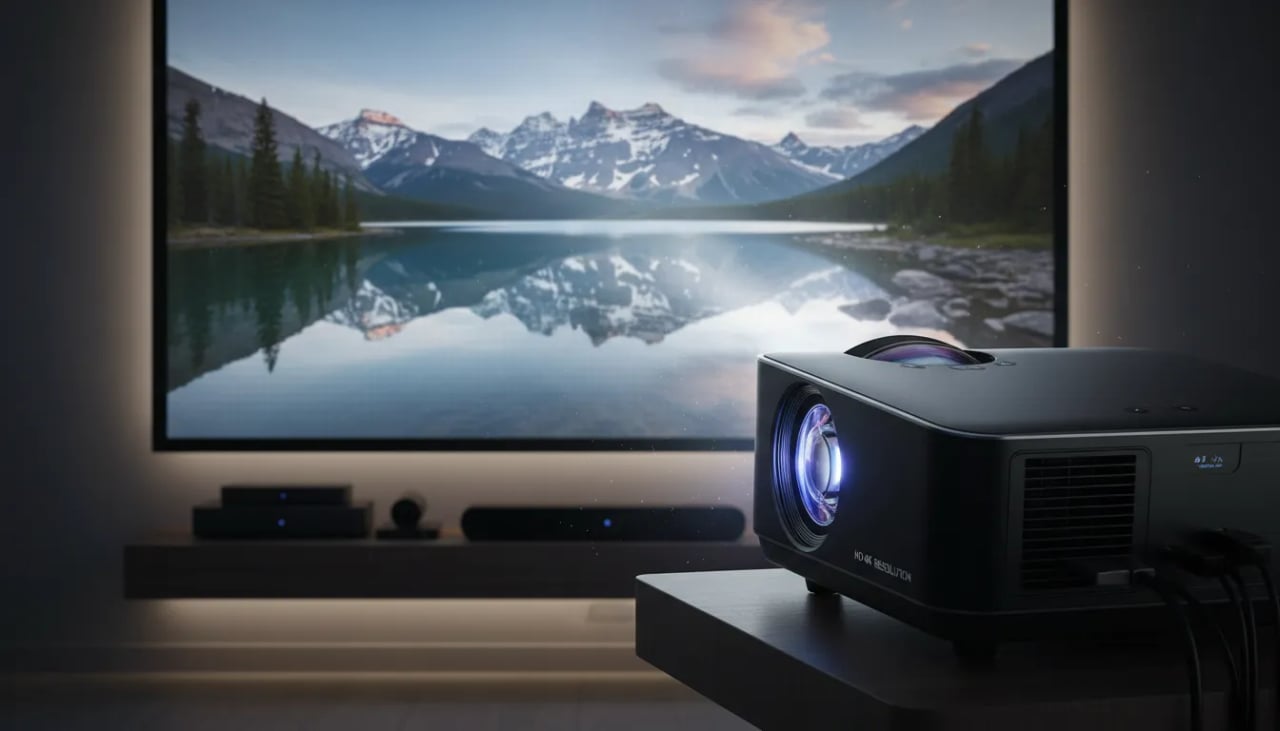
I'll never forget the first time I swapped my TV for a projector: my cramped living room suddenly felt like a tiny neighborhood theater. I'm writing from that slightly-too-dark couch, sharing how a high-definition projector — bright, compact, and surprisingly easy to connect to phones, tablets, PCs, or consoles — can remake your evenings into immersive movie nights.
Why I Chose a Projector Over a TV
Bigger-than-TV Feeling (My 120-Inch “Wow” Night)
The moment I switched from a TV to a projector, my home cinema finally felt like a real cinema. I still remember the first time I set up a 120-inch screen for a movie night. My friends walked in, looked at the wall, and instantly said, “No way.” That night turned into a mini event—lights down, snacks out, and everyone actually stayed off their phones because the picture felt huge and alive.
A big TV can look great, but it never gave me that “I’m inside the scene” feeling. With projection, the image fills your view in a way that’s hard to ignore, which is exactly what I want from immersive experiences.
Cost-Per-Inch Advantage (More Screen for the Money)
I also chose a projector because the value just made sense. Once you start pricing large TVs, the cost climbs fast. With a projector, I can comfortably run a 100–150 inch image in my living room, and it feels premium without paying “giant TV” prices.
And if I ever want to go bigger, the tech is ready. Some models can reach a 200-inch max display (like the soundcore Nebula Cosmos 4K SE), which is wild when you think about what a 200-inch TV would cost—or if it would even fit through the door.
Flexibility for Real Life (Especially as a Renter)
Another reason I went with portable projectors is flexibility. My setup isn’t locked to one wall forever. I can move the projector to the balcony for a summer night, shift it behind the couch when I rearrange furniture, or pack it away when I want a clean look. Compact and stylish matters to me, and a small unit fits my space better than a giant black rectangle.
In 2026, projection tech is clearly leaning into flexible installs and easy living-room setups, and I feel that trend every time I pick up my projector and change the vibe in minutes.
Mood and Immersion (Dark Room + Bright Image = Cinema)
What really seals it is the atmosphere. When I dim the room and the projector throws a bright, sharp image on the wall, it instantly feels more cinematic than a TV. It’s perfect for family nights, parties with friends, or just relaxing after work.
Easy connectivity to smartphones, tablets, PCs, and gaming consoles
Great for movies, TV shows, and gaming in one simple setup
Turns my living room into the hangout spot—especially for big game nights
Ethan Carter, AV Specialist: "Projectors give you scale and atmosphere that a TV simply can't match in most living rooms."
Core Specs I Check (Brightness, Resolution, Color)
Brightness first: why ANSI lumens decide everything
When I’m building a home cinema in a real living room (not a perfect black box), I start with brightness. The number I trust is ANSI lumens, because it’s a more consistent way to compare projectors than vague “LED lumens.” If you want movies, TV, or games to stay punchy during family nights, parties, or casual daytime viewing, brightness is what keeps the image from looking washed out.
Right now, one of the biggest trends is laser projectors with higher brightness, and the sweet spot is 1800–4000 ANSI lumens. For example, the Nebula Cosmos 4K SE is around 1800 ANSI lumens and can push up to a 200-inch image, while brighter models like the Epson Pro Cinema LS12000 hit about 2700 ANSI lumens, and the Epson EpiqVision Ultra LS800W goes up to 4000 ANSI lumens.
Sophie Nguyen, Home Theater Designer: "I always start with brightness and color gamut—those two determine whether a projector reads as premium or 'just okay'."
Resolution: from HD to 4K, plus 8K upscaling and AI super resolution
Next, I look at resolution because it controls how clean faces, subtitles, and textures look. Basic high definition is fine for casual viewing, but if I want truly high resolution images on a big screen, I aim for 4K. The bigger the image, the more you notice softness.
What’s exciting in 2026 is how projectors handle non-4K content. Features like 8K upscaling and AI super resolution can sharpen edges, reduce noise, and add detail so older shows and streamed movies look more “cinema-like,” even when the source isn’t native 8K.
Color and contrast: wide gamut + high dynamic range
Brightness and resolution get you clarity, but color is what makes the picture feel alive. I check for wide color gamut support—some newer units claim up to 110% BT.2020 coverage—and I always prioritize high dynamic range formats. Good HDR (including options like Dolby Vision on supported setups) gives me brighter highlights, richer mid-tones, and deeper blacks, which makes every scene feel more immersive.
My practical lumen-matching tip
~1800 ANSI lumens: best for dim rooms or nighttime movie sessions.
2700–4000 ANSI lumens: ideal for living rooms with ambient light and flexible viewing times.
Connectivity & Real-Life Uses—Phones, Consoles, and More
Plug-and-play connection setup (phones, tablets, PCs)
One reason I love using high-definition projectors at home is how fast the connection setup can be. On movie nights, I don’t want to troubleshoot—I want to press play. Most modern portable projectors make this easy with HDMI, USB-C, and wireless casting, so I can go from “what should we watch?” to a full wall-sized picture in minutes.
For quick starts, I usually follow this simple flow:
Place the projector and power it on.
Let invisible autofocus and auto keystone square the image (huge time-saver).
Connect my device (wireless for casual viewing, HDMI for zero fuss).
Stream or mirror from a phone (and keep audio simple)
When I’m using my phone, I either cast directly (if the projector has built-in apps or casting support) or mirror my screen. If the Wi‑Fi is busy, I switch to a wired option like USB‑C to HDMI for steadier playback. For sound, Bluetooth is convenient, but if I’m watching something important, I’ll run audio to a speaker or soundbar to avoid any delay.
Wireless casting: best for quick clips, YouTube, and casual streaming.
HDMI/USB-C: best for stable video and fewer surprises.
Gaming projectors: input lag, 4K@60Hz, and 1080p high refresh
I also use my setup for games, and this is where input lag matters. The best gaming projectors in 2026 can run 4K@60Hz with low lag, and many offer smoother modes like 1080p@120Hz (some even advertise 240Hz). If you play shooters or sports games, check the spec sheet for low-ms input lag numbers and a “Game” mode.
Jordan Patel, Competitive Gamer: "When input lag drops, my wins go up—projectors have closed the gap for serious gaming."
For consoles like Xbox or PlayStation, I stick to HDMI and enable the projector’s game preset. It’s the most reliable way to keep controls feeling tight.
Real-life setups I tested: movies, sports, and tournaments
In real life, this flexibility pays off. I’ve done family movie marathons with a streaming stick, a living-room game tournament with two controllers and snacks, and even used one of my portable projectors outdoors to stream a live soccer match with neighbors. Autofocus and auto keystone made it feel effortless—set it on a table, aim at a wall, and the night basically ran itself.
Design, Placement & Installation Flexibility
Compact, stylish, and easy to live with
One reason I love using a high-definition projector at home is how compact and stylish many models are now. Instead of building the room around a giant TV, I can place the projector where it makes sense for my space—on a shelf, a media console, or even tucked away when I’m done. That matters a lot in rentals and multi-use rooms, where the living room has to work for movie night, guests, and everyday life.
Maya Alvarez, Interior Tech Stylist: "A compact projector that looks chic on a shelf is transformative for apartment dwellers."
Throw ratio basics: short throw projector vs ultra short throw
Placement really comes down to throw ratio—how far the projector sits from the wall or screen. A short throw projector is great for medium rooms because it can create a big image from a shorter distance than standard models. If my couch is close to the wall, or I don’t want people walking through the beam, ultra short throw is even better.
Ultra short throw projectors are built for tight spaces and still deliver high brightness. For example, the Epson EpiqVision Ultra LS800W can push 4000 lumens from just 1–2 feet away, which is perfect for small living rooms where every inch counts.
Type | Typical placement | Best for |
|---|---|---|
Short throw projector | A few feet from the wall/screen | Medium rooms, flexible furniture layouts |
Ultra short throw | About 1–2 feet from the wall/screen | Very small rooms, clean setup near the wall |
Auto keystone and autofocus: my “no-fuss” setup tools
Real rooms are rarely perfect. My shelf isn’t always centered, and my coffee table isn’t always level. That’s why I look for auto keystone and autofocus—two features that are becoming standard on portable 2026 models. Auto keystone straightens the picture when the projector is slightly off-angle, and autofocus keeps the image sharp without me fiddling with dials.
Auto keystone helps fix trapezoid-shaped images fast
Autofocus keeps movies, shows, and games crisp with minimal effort
Sustainability and longevity trends (2026)
I’m also paying more attention to long-term value. Laser light sources can last years rather than months, and efficient optical engines help reduce wasted energy. Some newer designs also include reusable filters, which means less trash and easier maintenance—especially helpful if I’m using the projector often for family nights, parties, or gaming.
Models, 2026 Trends, and Real Picks I Recommend
When I’m helping someone create a home cinema with a high-definition projector, I start with one simple goal: make your living room feel like a real cinema—bright, sharp, and easy to connect to your phone, tablet, PC, or console. Here are the best projectors I keep coming back to, plus the 2026 trends that are shaping what’s worth buying.
Model snapshots (real-world favorites)
soundcore Nebula Cosmos 4K SE: 1800 ANSI lumens, Dolby Vision, and up to a 200-inch display. I like it for flexible setups where you want big-screen fun without turning your room into a tech lab.
Epson Pro Cinema LS12000: 2700 ANSI lumens with 4K Pro-UHD laser. This is my “serious movie night” pick when you want a brighter, more theater-like image.
Epson EpiqVision Ultra LS800W: 4000 ANSI lumens and ultra short throw. If you hate ceiling mounts or long cable runs, this one can sit close to the wall and still look huge.
Why laser projectors are winning
In my experience, laser projectors are taking over because they hit the sweet spot of high brightness and long life. You get that punchy image that makes movies, TV, and games feel immersive, and you don’t have to baby a lamp or worry as much about maintenance.
Liam O'Connor, Tech Reviewer: "2026 is the year laser projectors became practical for everyday home use—more brightness, less maintenance."
CES 2026 trends I’m watching
CES 2026 reinforced two big shifts: ultra-bright DLP models are growing fast, and RGB laser light sources are getting stronger—up to about 3500 lumens—while brands improve thermal management. For me, that means more compact 4K projectors that can stay bright longer, even in real homes (not just dark demo rooms).
Which one should you pick? (quick matrix)
Space | What I’d prioritize | My pick |
|---|---|---|
Dorm room | Easy setup, big image | Nebula Cosmos 4K SE |
Living room | Balanced brightness + sharpness | Nebula Cosmos 4K SE |
Bright lounge | Maximum lumens | Epson LS800W |
Dedicated home theater | Premium laser performance | Epson LS12000 |
Budgeting, Styling, and Everyday Tips (My Imperfect Guide)
Budget buckets for portable projectors and a real home cinema
I learned fast that “budget” isn’t just the projector price—it’s the whole vibe: screen, sound, and how you’ll actually use it for family nights, parties with friends, or quiet solo shows. Here’s how I think about budget projectors and upgrades.
Budget | What to expect | When to splurge |
|---|---|---|
~$300 | Entry-level portable projectors, fun and flexible, but mixed blacks and modest audio | If you watch with lights on often, prioritize higher brightness levels over extra features |
~$800 | Noticeably sharper image, better color, sometimes 4K support or brighter light engines | Great point to add a soundbar or speakers—audio changes everything |
$2000+ | Premium laser home theater feel, stronger contrast, smoother motion, bigger screens | Go laser or true 4K if you watch daily, hate bulb swaps, or want 120–150 inches regularly |
For living rooms, I find 100–150 inches comfortable, and some setups can stretch toward 200 inches if your wall and brightness levels can handle it. If gaming matters, I always check input lag and refresh rates before I fall in love with the picture.
Styling: making a compact projector look like it belongs
Because many portable projectors are compact and stylish, I try to treat mine like decor, not a gadget I hide. A small cabinet keeps cables out of sight, a floating shelf helps with clean placement, and a travel case is my “party mode” solution when I’m moving it between rooms.
Hannah Brooks, Lifestyle Blogger: "The little things—placement, simple blackout blinds, and a good soundbar—make a projector sing."
Everyday hacks that make the picture and sound feel expensive
Ambient light is the enemy, so I use blackout curtains (even cheap ones) and aim the projector away from lamps. If you’re balancing ANSI lumens with real life, my rule is simple: the brighter the room, the more you’ll appreciate higher brightness levels. For a screen, I’ve used a smooth white wall, a stretched white sheet, and even a budget roll-down screen—each one works if it’s flat. And for sound, Bluetooth speakers or a basic soundbar give instant lift, since built-in speakers vary a lot by model.
My tiny lamp confession (and why it stays)
One last imperfect tip: I keep a tiny warm lamp nearby for late-night reading. Projector rooms can get too dark, and I’d rather add a soft glow than fumble around after the credits. That little comfort is what makes my home cinema feel livable, not precious.
